Case 01 · AI interfaces · Enterprise content

Designing AI people can verify.

At IBM I led the interaction patterns for enterprise AI agents: where they enter the work, how people check what they found, and how answers become work people can edit and act on.

CompanyIBM
RoleSenior Design Manager
Team14-person design organization
Scope6–8 enterprise products
TimelineMay 2024 – Dec 2025
Problem

AI was a mandate across the portfolio, but teams had no shared way to make agent output trustworthy inside real enterprise work.

Decision

Treat AI output as work to verify and edit, not a chat reply: agents inside the workspace, scaffolded prompts, every result linked to its source.

Result

A reusable pattern set for agent entry, prompting, verification and structured output that product teams could apply across surfaces.

The mandate: make AI usable inside real work

The job was not to add AI features. It was to find where AI could create workflow value, how users could verify and control what it produced, and how design standards could scale across product teams.

At the same time, the design organization was moving from embedded team support to a Design-as-a-Service model with clearer intake, stronger governance and more consistent quality across a large portfolio.

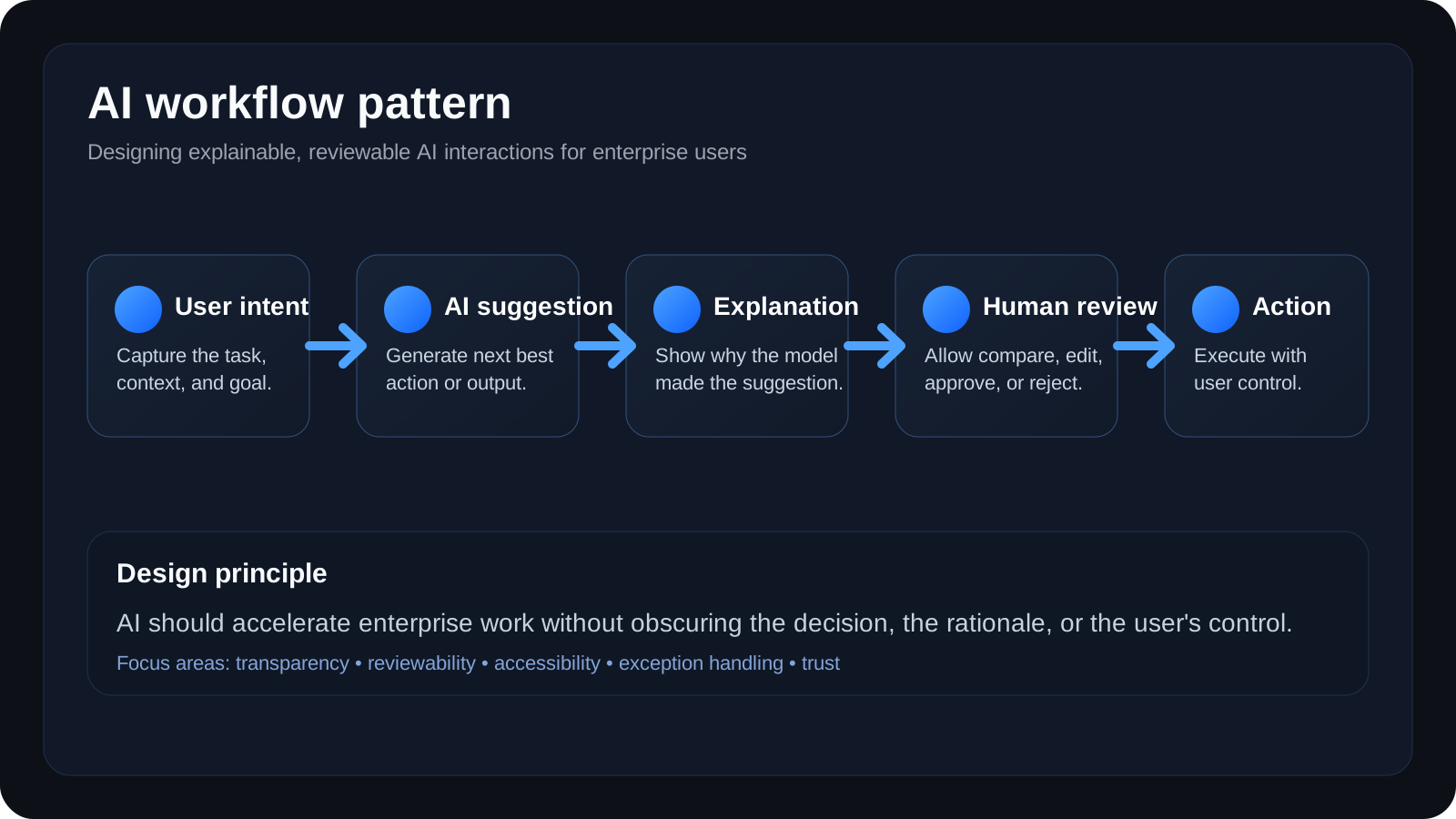
AI workflow pattern diagram: user intent, AI suggestion, explanation, human review, then action under user control
The pattern teams needed: intent, suggestion, explanation, human review, then action under the user’s control.
Product strategy

Where AI earns its place

Find enterprise workflows where AI could cut manual search, interpretation and repetitive document work.

Interaction patterns

How people work with agents

Define how users invoke agents, review plans, inspect reasoning, verify sources and convert responses into work.

Operating model

How the standard spreads

Repeatable guidance through advisory rituals, audits, reusable patterns and shared quality standards.

My role

I led the organization and stayed hands-on in the pattern work. These are the parts I owned directly.

AI behavior

How AI behaves when it is uncertain or wrong

Defined with AI and data science partners the model behaviors, transparency moments, guardrails, and the correction and recovery paths users need.

Patterns and systems

Core UI patterns and system architecture

Defined core interaction patterns for agent entry, prompt scaffolding, reasoning visibility, verification and structured output, and extended Carbon with AI-specific patterns.

Hands-on build

Built with the technology, not just for it

Built a Watson chatbot and a Python REST layer for Watson myself, alongside the design work.

Organization

14 people, 6–8 products, one operating model

Led a 14-person design organization, designers through managers, working with 10+ product leaders and 50+ engineers. One of six executives on the committee that moved the division to Design-as-a-Service, live in about three months.

Four decisions that shaped the work

Each one traded a simpler build for something enterprise users needed: orientation, a way to start, control over the result, and evidence.

1

Put the agent inside the workspace

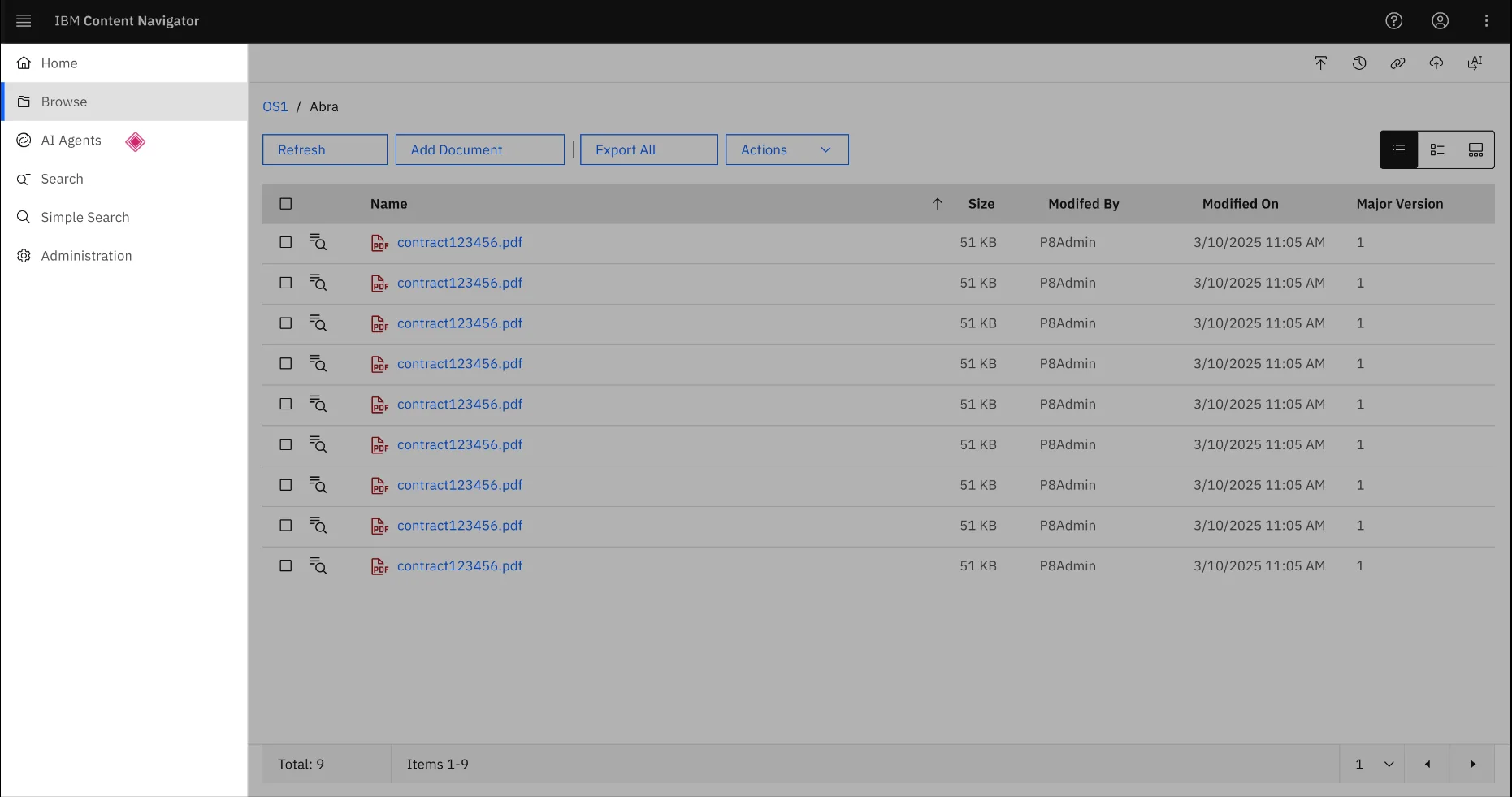
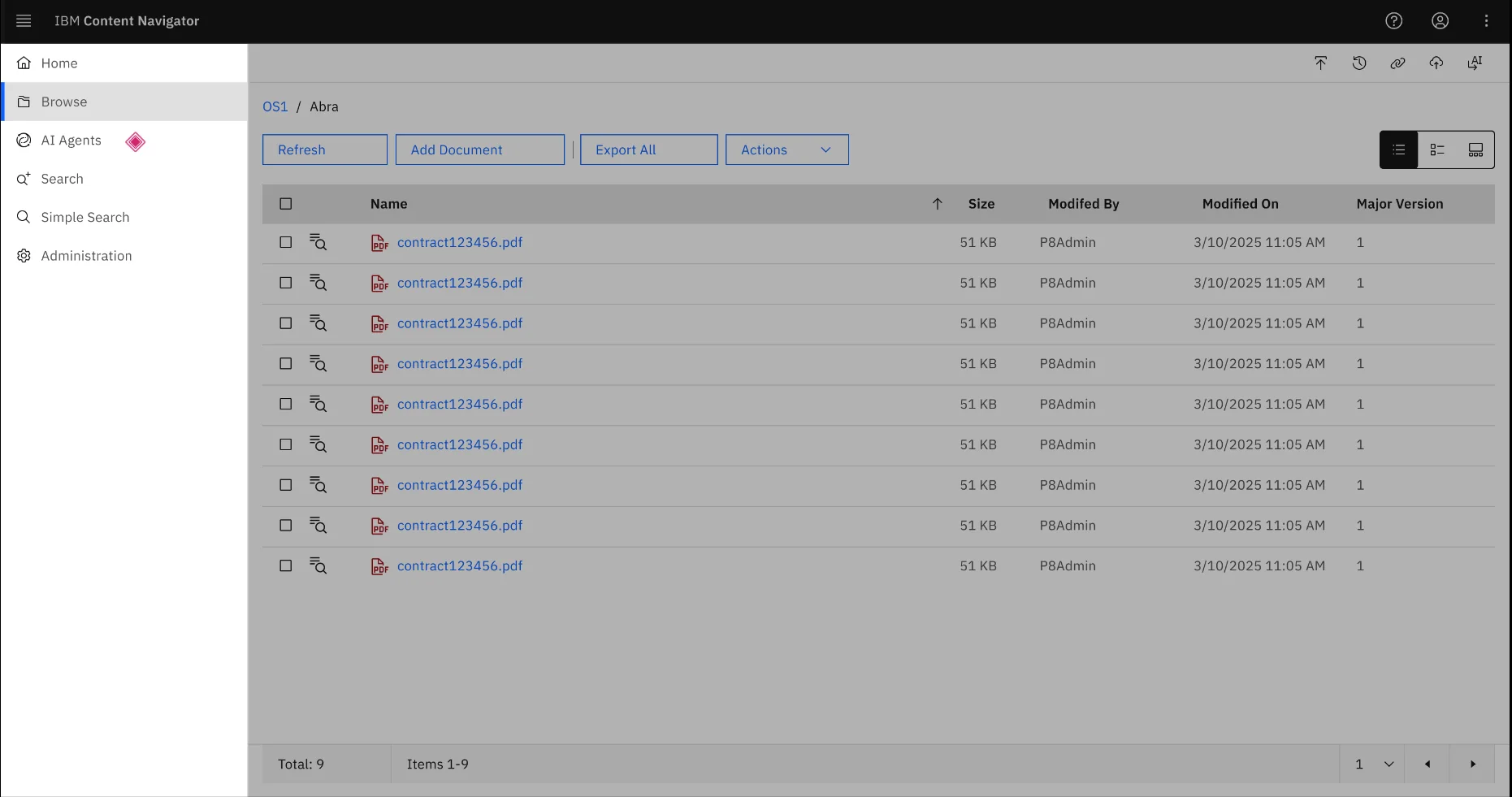
Agents entered through the product’s existing navigation instead of a separate assistant window.

Why: users already knew where their documents lived. Keeping that orientation made the agent an extension of the work rather than a detour from it.

2

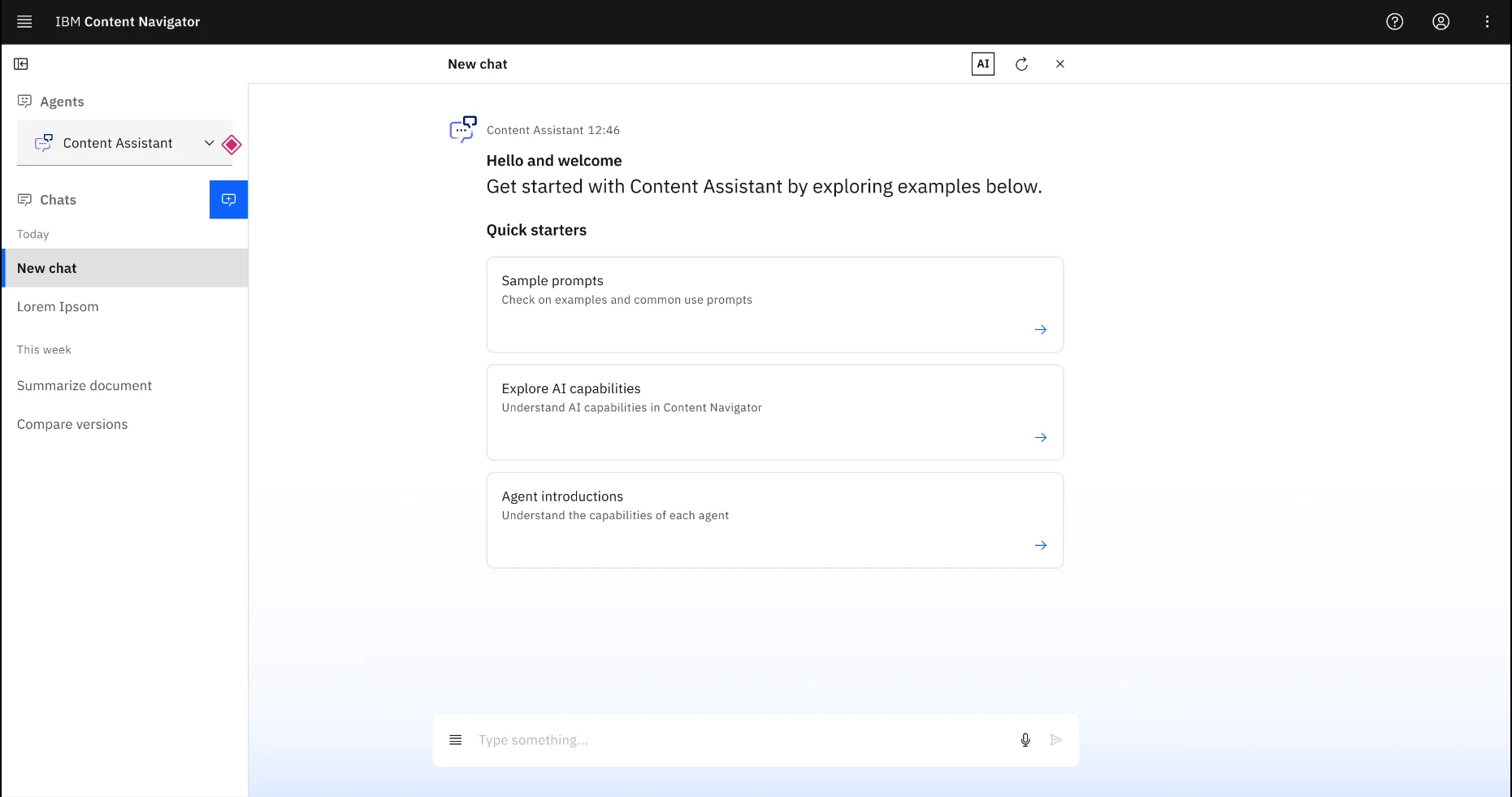
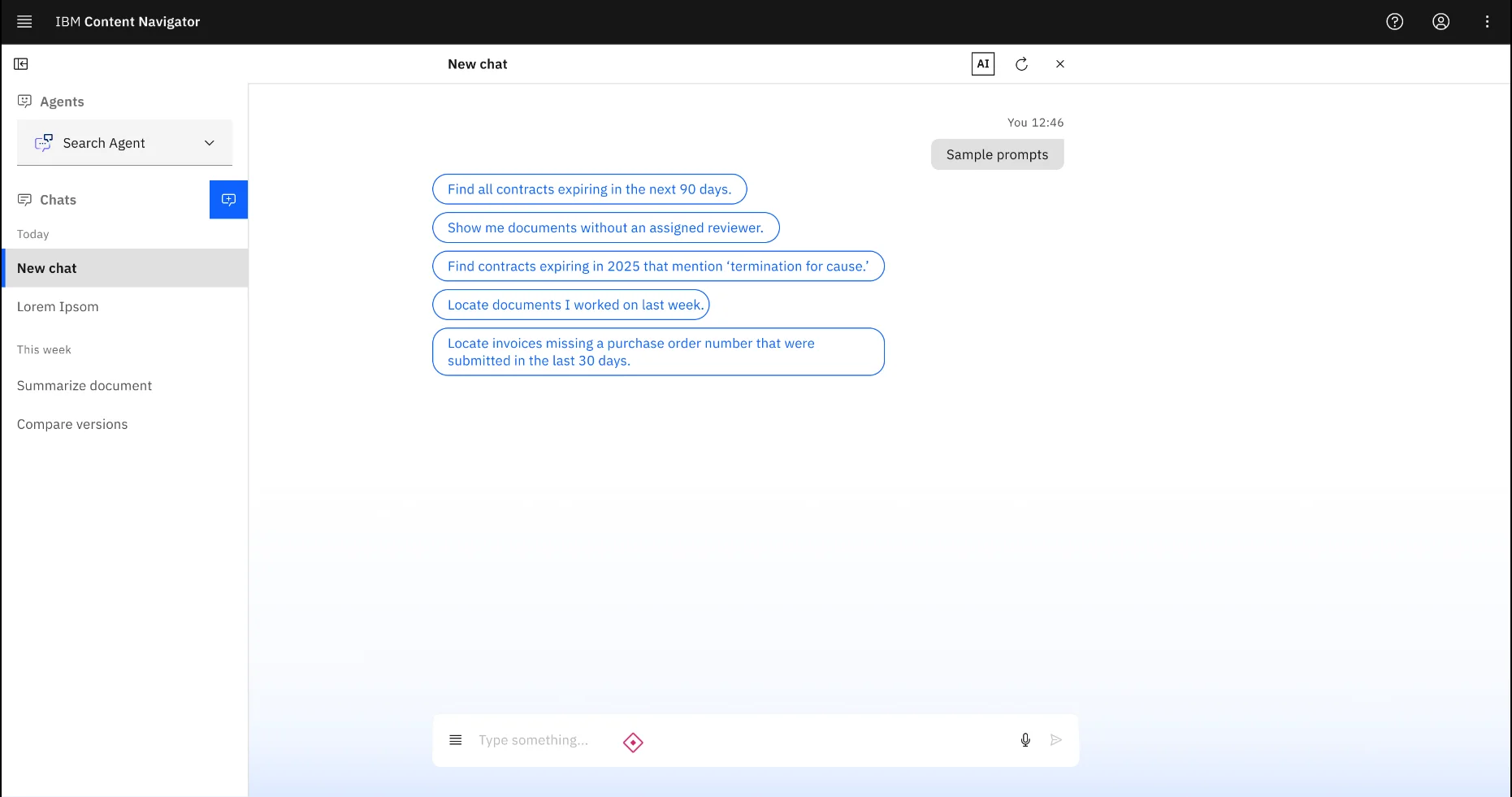
Replace the blank prompt

Quick starters and task-shaped prompt suggestions showed what the assistant could do before asking users to phrase anything.

Why: an empty prompt box asks enterprise users to guess the right words. Starting points make capability concrete without removing natural language.

3

Make the output editable work

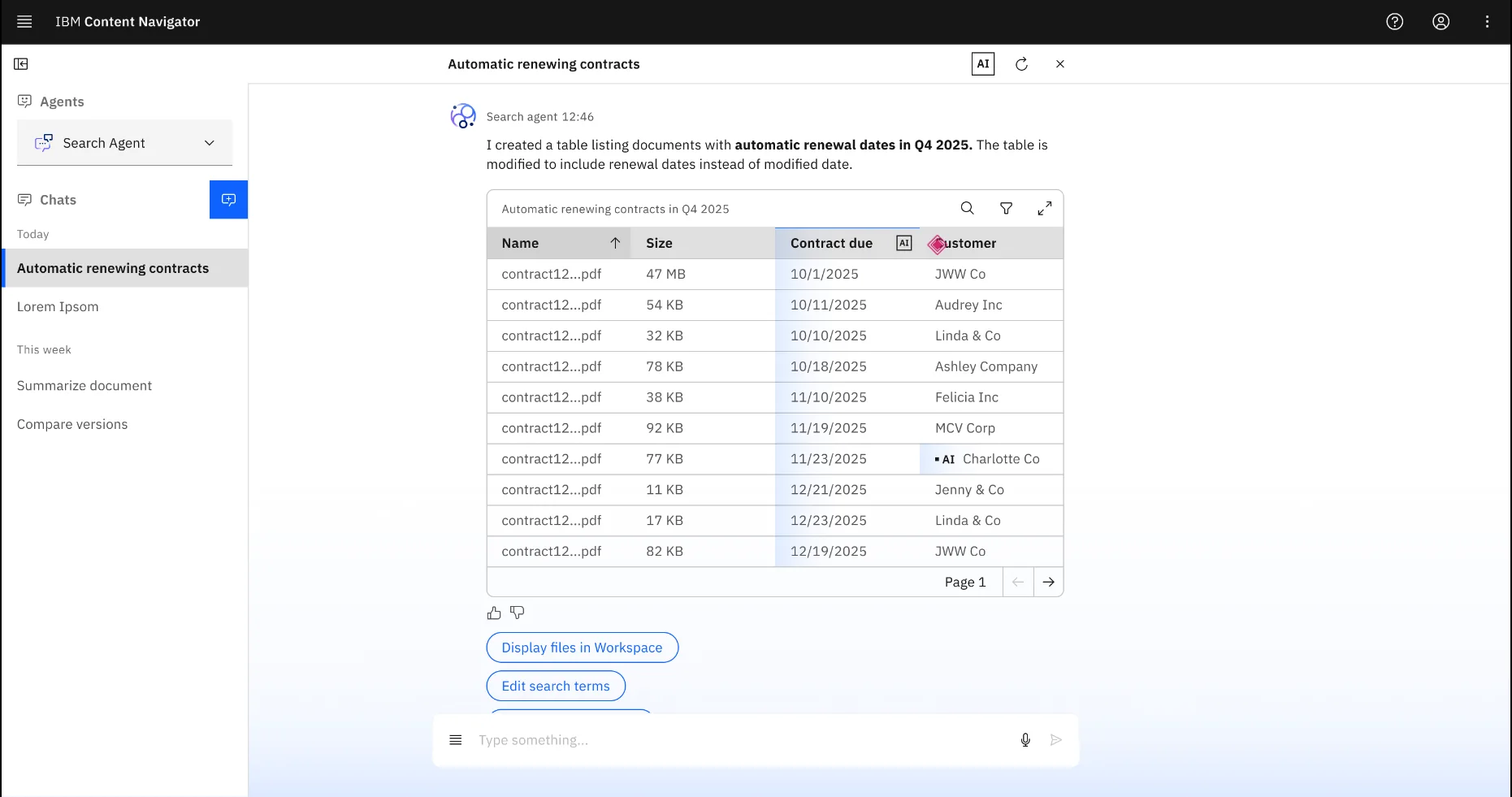
Results came back as structured tables users could refine, including columns and extracted fields, then move into the workspace.

Why: a chat answer gets copied into another tool and loses its context. A table people can edit stays in the system where the next action happens.

4

Link every result to its source

Verification patterns connected each extracted value back to the document it came from.

Why: people act on AI output only when they can check it. Source inspection keeps human judgment in the loop before anything is relied on.
The work

One representative flow: a user asks a search agent for contracts renewing in a given quarter that also contain automatic-renewal language. Select any image to expand it.

Start where the work already is

The workspace was document-heavy, structured and familiar. Agents arrived inside its navigation model, so capability grew without costing orientation.

Give people a way to begin

Quick starters introduce what the assistant can do. Suggested prompts turn common enterprise tasks into starting points users can adjust.

From prompt to structured work

The design problem was what happens after the prompt: showing the agent’s work, returning results as structured data, and letting people verify and keep working.

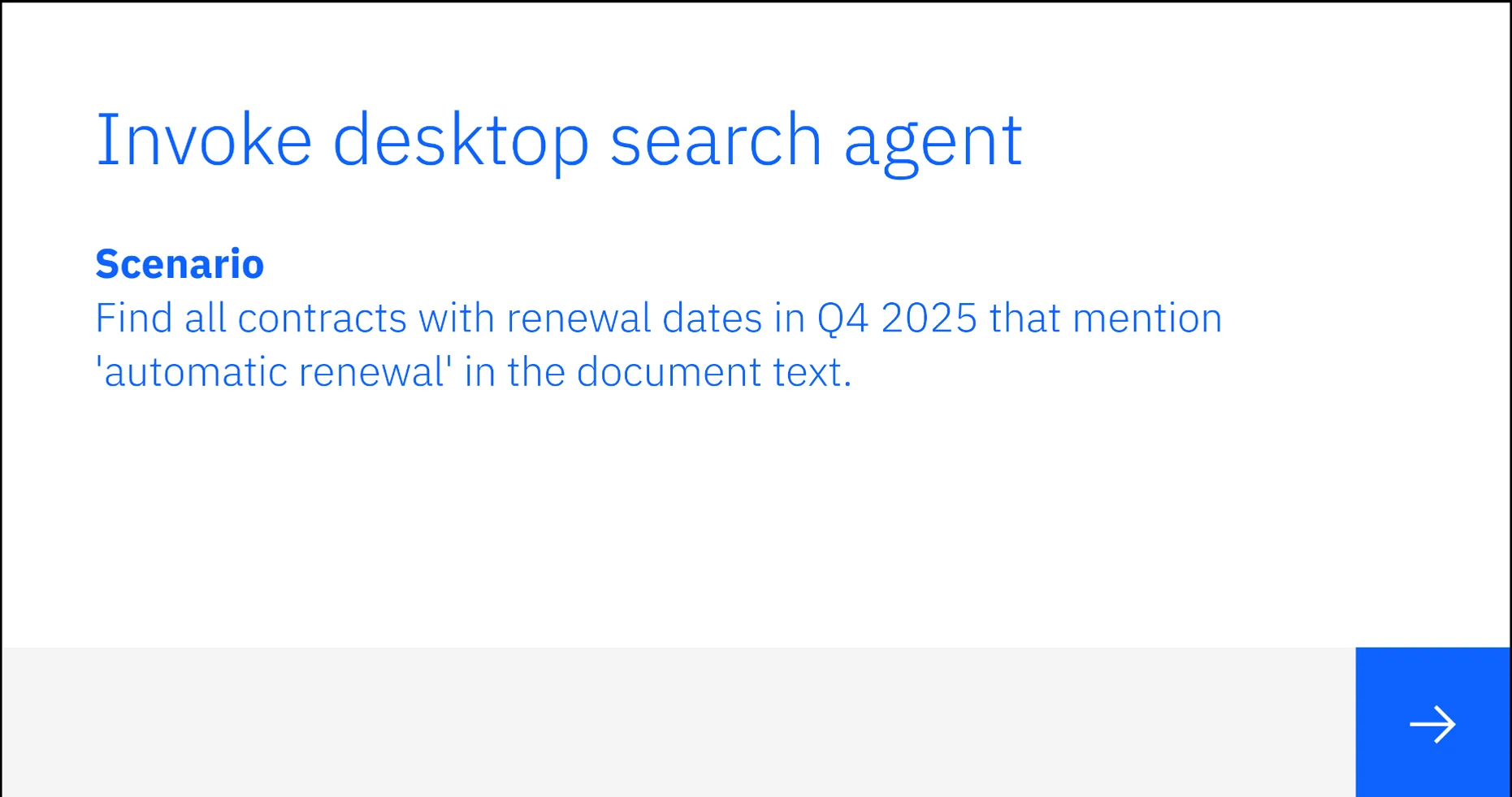
Scenario card: find all contracts with renewal dates in Q4 2025 that mention automatic renewal in the document text
The scenario the flow was designed around.
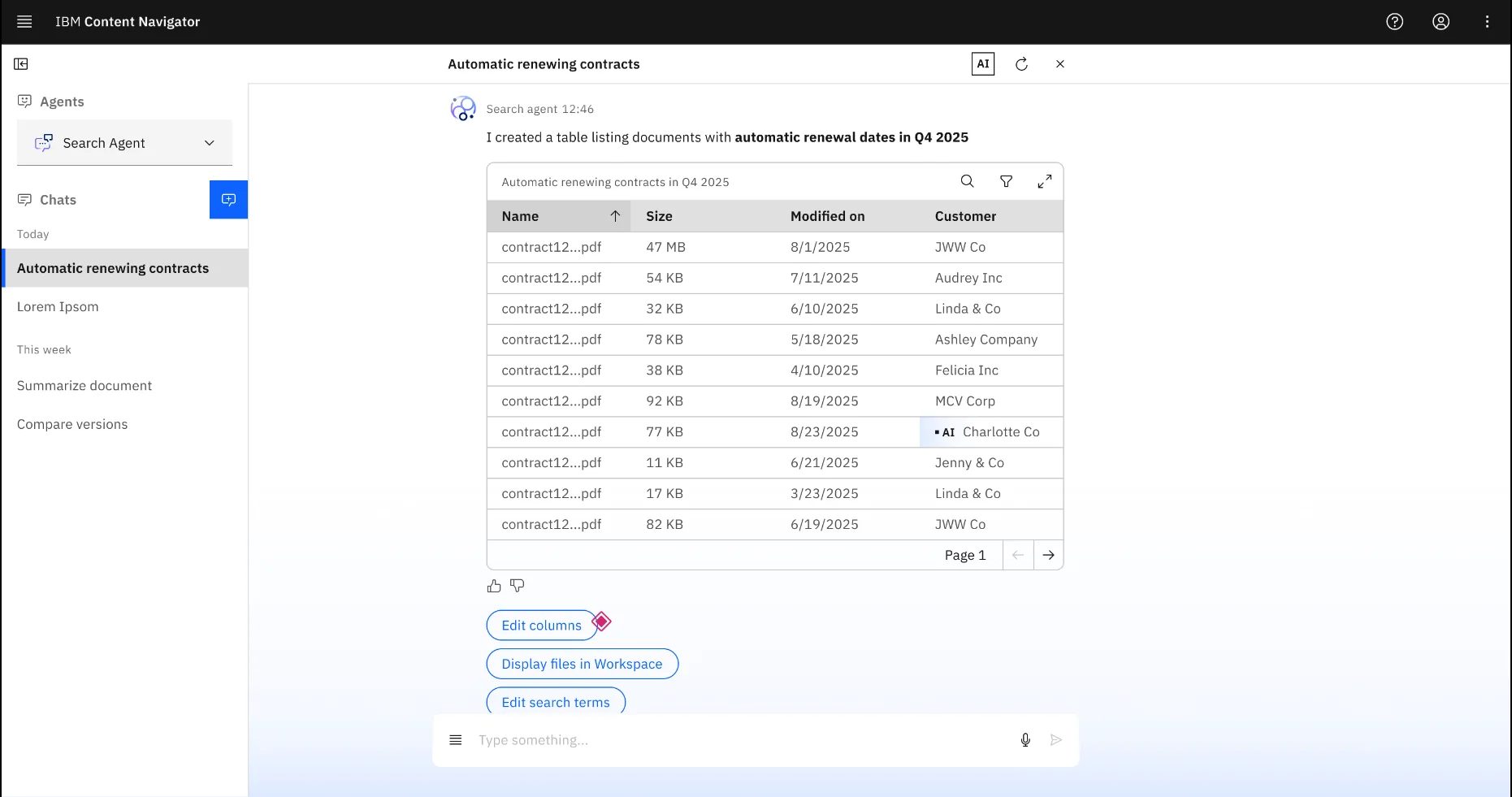
Search agent returning an editable table of contracts with renewal dates and automatic-renewal terms
The agent response becomes structured, reviewable data rather than a disposable chat answer.

Keep people in control

Users refine the output and inspect evidence before relying on it.

Follow through in the system

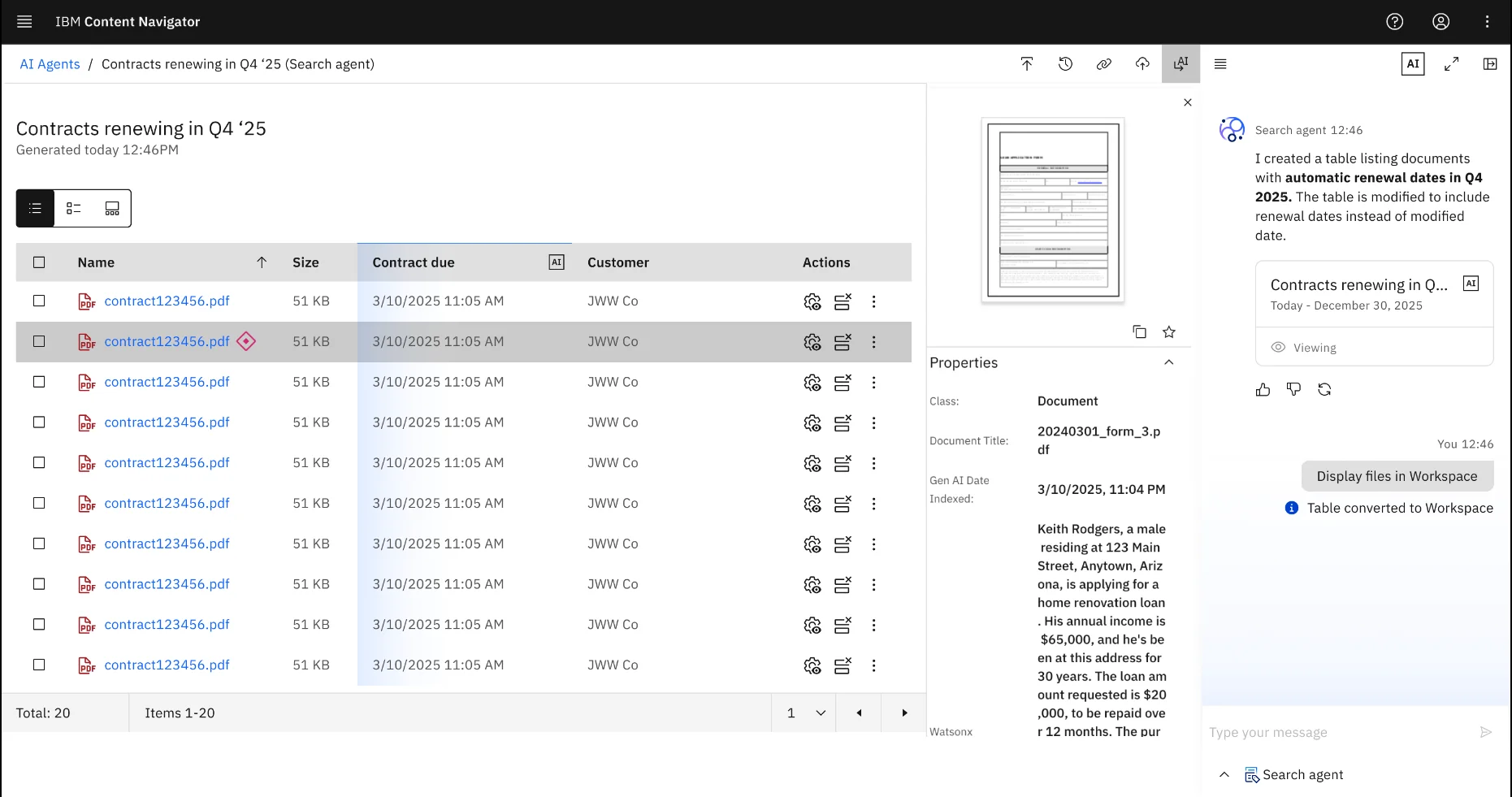
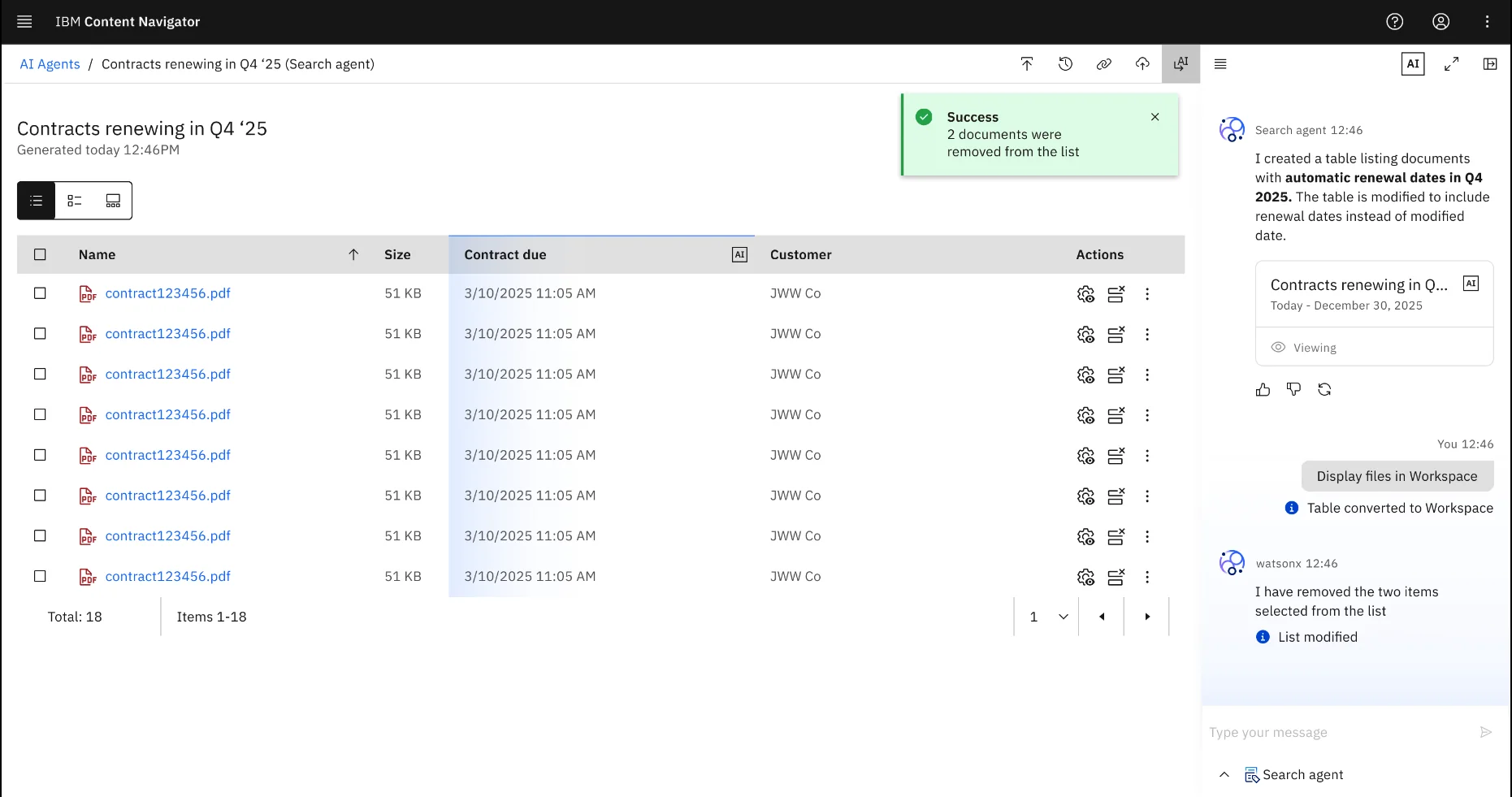
Results move into the workspace as lists people can refine and act on, without copying AI output into another tool.

Success state after moving agent results into the workspace
Downstream action stays inside the enterprise workflow.

Principles teams could reuse

Written to support many product teams, not to solve one screen.

Embedded

Meet users inside the systems where their work already happens.

Inspectable

Show what the agent found, what it inferred, and where it came from.

Usable output

A good response becomes a table, a list, a workspace object or a next action.

Human control

Support editing, verification, correction and follow-through.

Scalable

Agent behavior, prompts, verification states and outputs work across products.

Outcome

The work turned AI from an abstract ambition into a practical design language: where agents enter, how users guide and verify output, how results become structured work, and how teams apply the same standard across products.

Leadership

What I changed in the organization

  • Represented design in senior planning with Product and Engineering.
  • Helped move the division from embedded UX to a Design-as-a-Service model.
  • Moved the team onto AI-centered tooling as an operating change with new working standards.
  • Raised critique from visual polish to workflow clarity, control, verification and trust.
Craft

What this shows about how I work

  • Designing through AI product ambiguity.
  • Connecting strategy, systems thinking and interaction design.
  • Reusable patterns for complex enterprise workflows.
  • Building with the technology as well as designing for it.
ConfidentialitySome detail is left out of this page. I can walk through the decisions in more depth in conversation.
How I used AII built a Watson chatbot and a Python REST layer for Watson myself, and moved the team onto AI-centered tooling.

The states this case doesn’t show

These screens follow the success path. For uncertainty, failure and correction, try the pricing assistant prototype I built in October 2026.

Try the prototype

“AI becomes real when teams can turn it into workflows people trust.”